Nonprofit Website Analytics That Actually Matter for Board Reporting — What to Track, What to Skip, and How to Present It
Which website metrics nonprofit Boards actually need to see, how to translate analytics data into governance language, and a practical reporting framework that takes 15 minutes per month.

Summary
Most Board-level website reporting falls into one of two failure modes. The first is the metrics dump: a spreadsheet of page views, bounce rates, and session counts that trustees nod at without being able to assess whether the numbers represent good performance or poor performance for an organisation of their size and mission. The second is the absence of reporting: website performance is never discussed at Board level unless something has gone wrong, which means trustees have no governance visibility of a significant institutional asset until there is a problem.
Neither approach serves the Board's governance function. Trustees are not responsible for understanding web analytics at the technical level. They are responsible for understanding whether the website is performing its institutional function — supporting funding relationships, communicating governance accountability, serving the stakeholder groups the organisation exists to serve — and whether there are risks or opportunities that require a strategic decision.
This post covers a Board-level website reporting framework for nonprofits: the five metrics that actually matter for governance reporting, how to translate each metric into governance language that is meaningful to a trustee without digital expertise, what a normal reporting cadence looks like and how to make reporting useful rather than burdensome, how to connect website performance to the organisation's strategic objectives so that underperformance is contextualised rather than presented as an abstract number, and what the governance escalation path looks like when website performance data reveals a problem that requires a strategic decision rather than an operational response.
Nonprofit Website Analytics for Boards
Your Board does not need to see bounce rates. They need to know whether the website is supporting the mission, protecting institutional credibility, and serving the stakeholders that matter most.
Most nonprofit Communications Directors either report too much data (confusing the Board with metrics they cannot interpret) or too little (a vague ‘the website is doing fine’ that satisfies nobody). Neither approach gives Trustees what they need: evidence that the website is functioning as institutional infrastructure and that the investment is justified.
Here is a practical framework for website reporting that takes 15 minutes to prepare and five minutes to present.
What Boards Actually Care About
Boards have fiduciary responsibilities. They are not interested in traffic for its own sake. They want to know three things about the website:
Is it serving the organisation’s purpose? Are the right people finding it? Are they taking the actions that matter — donating, volunteering, accessing services, downloading reports?
Is it creating or reducing institutional risk? Is the site accessible? Is it compliant with data protection obligations? Is the content accurate? Would a funder or journalist who visited today see an organisation they would trust?
Is the investment justified? What has the website delivered that the Board can point to as evidence of value? This does not need to be a financial ROI calculation. It needs to be tangible outcomes connected to the mission.
The Five Metrics That Matter
Strip your reporting down to five metrics. Each one answers a governance question. Together they give the Board a complete picture without requiring them to understand digital analytics.
1. Key actions completed (donations, form submissions, sign-ups). This is the single most important metric. How many people took a meaningful action on the website this month? In GA4, these are called Key Events. Configure them to track donation completions, contact form submissions, newsletter sign-ups, and document downloads. Report the number, the trend (up or down compared to last month and last year), and what it means for the organisation.
2. How people find the site (acquisition channels). Report the top three sources: organic search (people finding you via Google), direct (people typing your URL), and referral (people clicking links from other sites). This tells the Board whether visibility is growing, stable, or declining — and whether the organisation’s search presence is healthy.
3. What people look at (top pages by engagement). Report the five most-visited pages and what they are. If the donation page is in the top five, that is a good sign. If an outdated campaign page from 2021 is getting more traffic than your current programmes, that is a governance concern. This metric surfaces content that needs attention.
4. Accessibility compliance status. Report the number of WCAG violations detected in the most recent automated scan. This is not a technical metric — it is a compliance metric that the Board has fiduciary responsibility to monitor, particularly under the Equality Act and for organisations with European operations under the EAA.
5. Content currency. Report when the five most important pages were last reviewed: homepage, About, top programme page, governance documents, and annual report. If any of these have not been reviewed in the current reporting period, flag it. Outdated content on key pages is a credibility risk that the Board should be aware of.
How to Present It
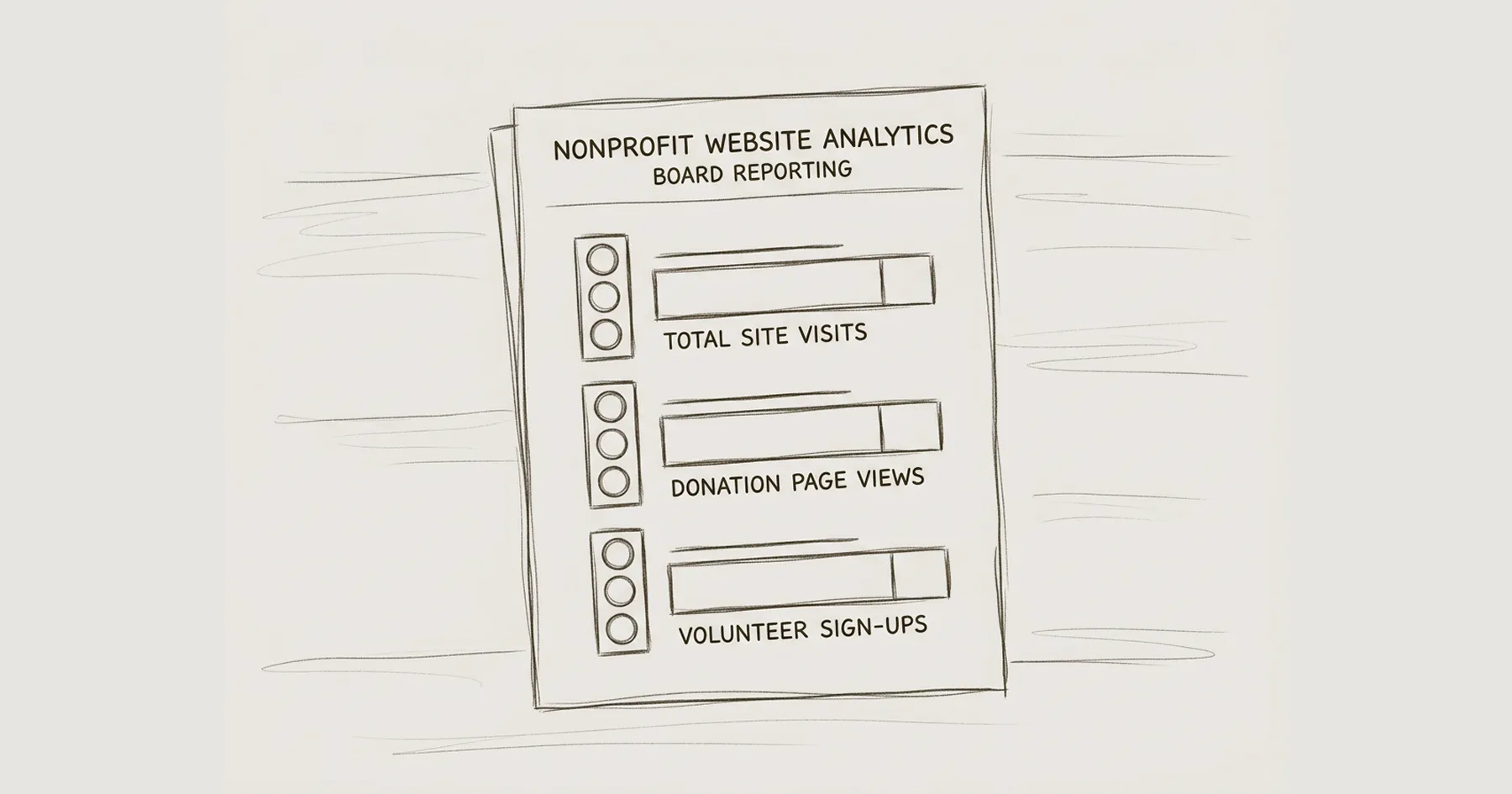
One page. Five metrics. Traffic-light indicators.
Use 🟢 for metrics that are healthy, 🟡 for metrics that need attention, and 🔴 for metrics that represent active institutional risk. The Board reads the traffic lights. If they want detail, it is below each indicator in one or two sentences.
Do not present charts, graphs, or dashboards to a Board. Charts require interpretation. Traffic lights require a decision: is this acceptable or does it need action?
The report should look like this:
Key actions this month: 🟢 47 donations (up 12% on last month), 23 contact form submissions, 156 newsletter sign-ups. Donation flow working correctly on mobile and desktop.
How people find us: 🟢 Organic search traffic up 8% quarter-on-quarter. Top search terms include [programme name] and [organisation name]. Direct traffic stable.
What people look at: 🟡 Homepage, About, and Programmes pages are top three. Note: the 2022 Impact Report page is receiving significant traffic but links to an outdated document. Recommend updating.
Accessibility: 🟢 Most recent scan: 4 violations (all minor, content-level). No structural failures. Accessibility statement published and current.
Content currency: 🟡 Homepage reviewed this month. Annual report current. Programme pages last reviewed 4 months ago — quarterly review overdue. Recommend scheduling review.
What to Stop Reporting
Remove these from Board reporting if you currently include them:
Bounce rate. Boards cannot interpret this and it is frequently misleading. A high bounce rate on an informational page (like your address or annual report download) may be perfectly appropriate — the visitor found what they needed and left.
Session duration. Same problem. Longer is not inherently better. A donor who completes a donation in 90 seconds is more valuable than a visitor who spends five minutes failing to find your governance documents.
Social media follower counts. Not a website metric and not a governance concern. Social media engagement is a communications metric for the comms team’s internal reporting, not a Board-level indicator.
Page views as a vanity metric. ‘We had 10,000 page views this month’ tells the Board nothing unless it is contextualised. Page views only matter in relation to what those visitors did.
Quarterly and Annual Reporting
The monthly report covers operational metrics. Quarterly and annual reports should add strategic context.
Quarterly: Add search performance trends from Google Search Console (which queries bring people to the site, whether impressions and clicks are growing). Add a note on any technical changes made (accessibility fixes, performance improvements, new pages launched). Flag any upcoming governance actions needed (annual report update, policy review dates).
Annual: Summarise the year’s key actions data. Compare to the previous year. Report the total accessibility improvement (violations at start of year vs end). Note any structural changes to the site and their rationale. Include recommendations for the coming year, framed as governance priorities rather than technical tasks.
Setting This Up
If your site has GA4 configured with Key Events tracking, you can pull all five metrics in 15 minutes. If it does not, see GA4 Setup for Webflow Nonprofits for the step-by-step guide.
For the accessibility scan, install axe DevTools and run it on your homepage once a month. Takes five minutes. See How to Audit Your Nonprofit Website for WCAG AA Compliance for the full process.
The Blueprint Audit establishes the baseline metrics and governance framework that makes ongoing Board reporting possible. If you do not currently have a reporting structure, the audit creates one as part of its recommendations.
For the governance framework that gives Board reporting institutional context, see Why Your NGO Website Is a Governance Problem. For the performance monitoring cadence, see Website Performance Monitoring for Nonprofits.
Frequently Asked Questions
Q1: What website metrics should a nonprofit report to the Board?
Five metrics: key actions completed (donations, form submissions, sign-ups), acquisition channels (how people find the site), top pages by engagement, accessibility compliance status, and content currency on key pages. Each answers a governance question the Board has fiduciary responsibility to monitor.
Q2: How often should a nonprofit report website performance to the Board?
Monthly for operational metrics (key actions, traffic sources, top pages). Quarterly for strategic context (search trends, technical changes, upcoming governance actions). Annually for year-in-review comparison with recommendations for the coming year.
Q3: Should bounce rate be included in nonprofit Board reports?
No. Bounce rate is frequently misleading and Boards cannot interpret it without significant context. A high bounce rate on a governance documents page may be entirely appropriate. Focus on key actions completed rather than engagement metrics that require technical interpretation.
Q4: How do I present website data to non-technical Board members?
Use a one-page format with traffic-light indicators: green for healthy, amber for needs attention, red for active risk. Each metric gets a one or two sentence explanation. Avoid charts, dashboards, and technical terminology. Frame everything as governance outcomes, not analytics data.
Q5: What are Key Events in Google Analytics 4 for nonprofits?
Key Events (formerly Conversions) track the actions that matter most: donation completions, form submissions, newsletter sign-ups, and document downloads. They measure whether the website is delivering outcomes that support the organisational mission.
Q6: Should accessibility be included in Board website reports?
Yes. Accessibility is a legal compliance obligation under the Equality Act and the European Accessibility Act. Reporting the number of WCAG violations gives the Board visibility into compliance status and fiduciary exposure.
Q7: How long should it take to prepare a website report for the Board?
Approximately 15 minutes per month once GA4 Key Events are configured and the reporting template is established. Five minutes to pull the data, ten minutes to write the traffic-light summary.
Q8: What does content currency mean in website governance?
Content currency is whether key pages have been reviewed within the appropriate timeframe. Annual reports should be current year, programme descriptions reviewed quarterly, governance documents reviewed annually. Outdated content on key pages is a credibility risk the Board should monitor.
Q9: How do I justify website investment to my Board?
Connect website metrics to mission outcomes: donations facilitated, enquiries generated, governance documents accessed by funders, accessibility compliance maintained. Frame the website as institutional infrastructure with measurable governance outputs, not as a marketing expense requiring ROI calculation.
Q10: What website metrics are most important for nonprofit fundraising?
Donation completions (total and trend), donation page conversion rate, file downloads of annual reports and impact data (signals funder engagement), and organic search traffic for mission-related terms. These indicate whether the website is actively supporting fundraising or passively existing.
Is this familiar?
Most nonprofit websites don't fail at launch. They fail quietly, over time.
The governance gaps, the stakeholder confusion, the Board that's stopped referring people to the site — these don't announce themselves. See what the difference looks like when it's built correctly from the start.
Eric Phung has 7 years of Webflow development experience, having built 100+ websites across industries including SaaS, e-commerce, professional services, and nonprofits. He specialises in nonprofit website migrations using the Lumos accessibility framework (v2.2.0+) with a focus on editorial independence and WCAG AA compliance. Current clients include WHO Foundation, Do Good Daniels Family Foundation, and Territorio de Zaguates. Based in Manchester, UK, Eric focuses exclusively on helping established nonprofits migrate from WordPress and Wix to maintainable Webflow infrastructure.
Ready to understand your current situation clearly?
The Blueprint Audit is where we start.
A two-to-three week diagnostic that maps your stakeholder needs, audits your current site, and gives you a clear strategic brief before any implementation commitment is made. £2,500. No obligations beyond the audit itself.
In case you missed it
Explore more

Nonprofit Website Audit Checklist: What to Review Before a Rebuild

What Is Website Governance for Nonprofits? A Complete Guide

Webflow vs WordPress for Charities: A Governance-First Comparison
Join our newsletter
Subscribe to my newsletter to receive latest news & updates
