Write an Accessibility Statement for Nonprofits
A practical guide to writing and publishing an accessibility statement for a nonprofit website — covering legal requirements, recommended content structure, complaint mechanisms, and where to place it.

Write an Accessibility Statement for Nonprofits
An accessibility statement is a public document on your website that describes your organisation’s commitment to digital accessibility, the standard you are working to, any known limitations, and how users can report barriers they encounter.
For UK nonprofits, the Equality Act creates an expectation that digital services are accessible. For organisations with European operations, the European Accessibility Act explicitly requires an accessibility statement. For all nonprofits, institutional funders increasingly check for one during due diligence.
This guide covers what to include, how to write it, and where to publish it. For the template itself, see Accessibility Statement Template for Nonprofits.
Why You Need One
An accessibility statement serves three purposes. It demonstrates governance maturity to funders and regulators. It provides a clear channel for users to report accessibility barriers. And it creates institutional accountability by documenting the standard the organisation has committed to meeting.
Most nonprofit websites do not have one. This is a gap that is easy to close and disproportionately valuable for credibility with institutional funders and regulatory compliance.
What to Include
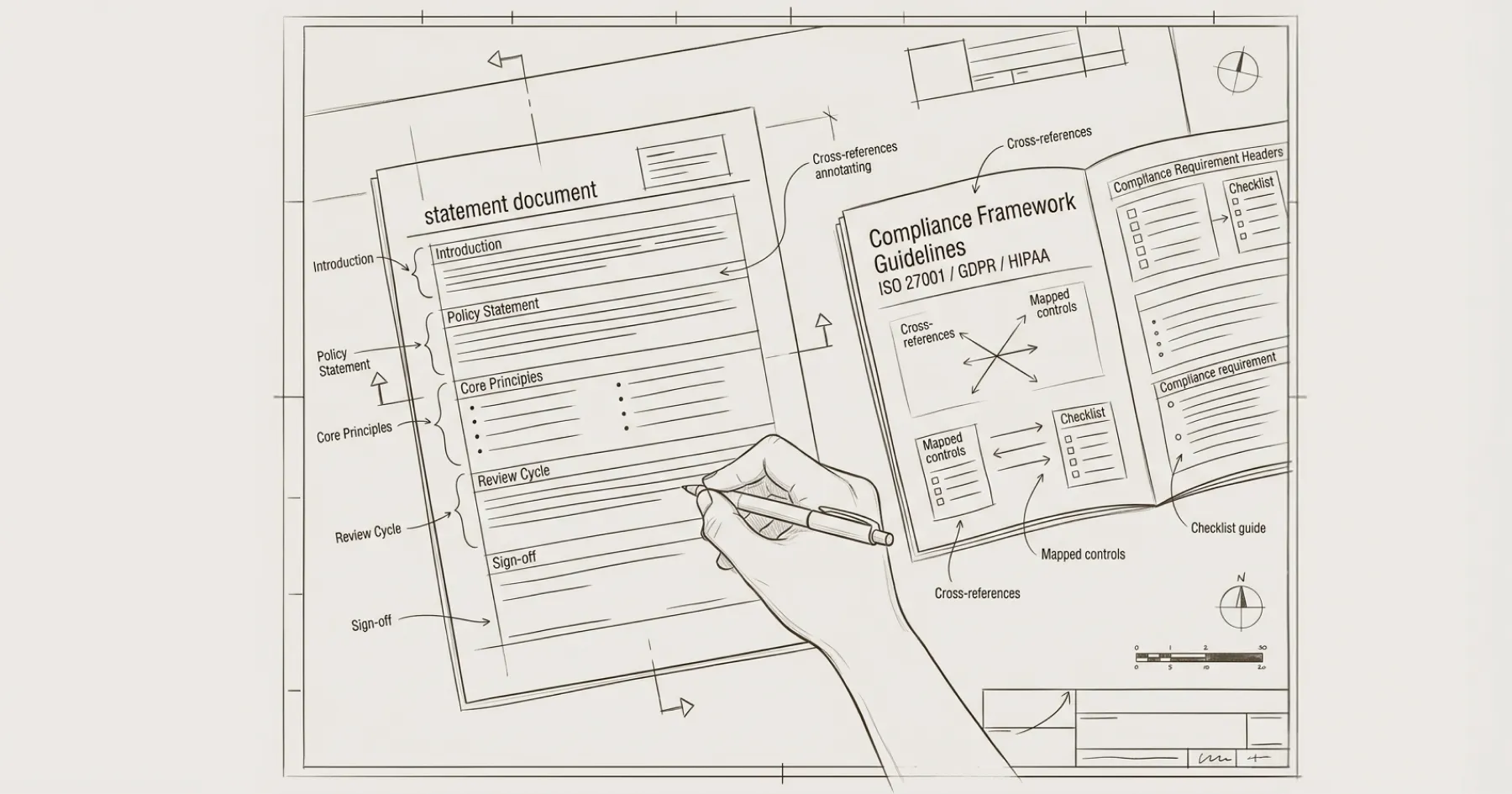
Commitment statement. A brief declaration that the organisation is committed to making the website accessible to all users, including people with disabilities. One or two sentences. Avoid vague language — state the specific standard you are working to.
Standard referenced. State which accessibility standard you are targeting: WCAG 2.1 Level AA is the current benchmark referenced by both the Equality Act and the European Accessibility Act via EN 301 549. Be specific: ‘We aim to conform to the Web Content Accessibility Guidelines (WCAG) 2.1 at Level AA.’
Current compliance status. Be honest about where you stand. If the site fully meets WCAG 2.1 AA, say so. If there are known gaps, describe them. Options include: fully conformant, partially conformant (with known limitations listed), or non-conformant (with a remediation plan described). Honesty is more credible than vague claims of full compliance that a quick automated scan would disprove.
Known limitations. List any areas where the site does not yet meet the stated standard. For example: ‘Some PDF documents published before 2024 do not meet accessibility requirements. We are working to replace these with accessible versions.’ Or: ‘Third-party donation form embeds may not fully meet WCAG AA. We have raised this with our donation platform provider.’
Feedback and complaint mechanism. Provide a clear way for users to report accessibility barriers. This should include an email address (ideally a dedicated one such as accessibility@yourorganisation.org), expected response time, and what the user can expect when they report an issue. The European Accessibility Act specifically requires this.
Date and review schedule. State when the accessibility statement was last updated and when it will next be reviewed. Annual review is the minimum.
Enforcement procedure (for EAA compliance). If your organisation is subject to the European Accessibility Act, include information about the relevant national enforcement body that users can contact if they are not satisfied with the organisation’s response.
Where to Publish It
The accessibility statement should be linked from the footer of every page on the site — the same way your privacy policy is. Use the link text ‘Accessibility’ or ‘Accessibility Statement’. Do not bury it inside another page or make it only accessible from the About section.
Create it as a standalone page at a consistent URL such as /accessibility or /accessibility-statement.
How to Write It
Write in plain English. The audience is not accessibility specialists — it is users who need to know whether the site will work for them and how to get help if it does not. Avoid jargon, acronyms (except WCAG, which you should define on first use), and legalistic language.
The statement should be accessible itself. Ensure it has proper heading structure, sufficient colour contrast, and is navigable by keyboard. An inaccessible accessibility statement is a credibility problem.
Using the W3C Generator
The W3C provides a free accessibility statement generator at w3.org/WAI/planning/statements/generator. It walks you through each required section and produces a structured statement you can adapt for your organisation. This is a good starting point, though you should review and personalise the output rather than publishing it verbatim.
Maintaining the Statement
The accessibility statement is a living document. Update it when: the site undergoes significant changes, an accessibility audit identifies new issues or confirms remediation, the compliance standard is updated (WCAG 2.2 is already published and the EU is expected to reference it in a future EAA revision), or a user reports a barrier that reveals a previously unknown limitation.
Include the accessibility statement review in your quarterly website governance cadence. See How to Create a Website Governance Policy for the broader framework.
For the accessibility audit that establishes your baseline, see How to Audit Your Nonprofit Website for WCAG AA Compliance. For the regulatory context, see What the European Accessibility Act Means for NGO Websites.
Eric Phung has 7 years of Webflow development experience, having built 100+ websites across industries including SaaS, e-commerce, professional services, and nonprofits. He specialises in nonprofit website migrations using the Lumos accessibility framework (v2.2.0+) with a focus on editorial independence and WCAG AA compliance. Current clients include WHO Foundation, Do Good Daniels Family Foundation, and Territorio de Zaguates. Based in Manchester, UK, Eric focuses exclusively on helping established nonprofits migrate from WordPress and Wix to maintainable Webflow infrastructure.
Not sure where your site currently stands?
A Blueprint Audit tells you exactly what needs to change — and why.
Before implementing anything new, it's worth knowing what your current site is and isn't doing for your stakeholders. The Blueprint Audit gives you that clarity in two to three weeks.
Related Resources
Write an Accessibility Statement for Nonprofits
A practical guide to writing and publishing an accessibility statement for a nonprofit website — covering legal requirements, recommended content structure, complaint mechanisms, and where to place it.
Join our newsletter
Subscribe to my newsletter to receive latest news & updates
