






Nonprofit Website Maintenance Schedule: A Governance Framework


Key takeaways
- Websites decay through gradual neglect, not dramatic failure, until a funder, donor or security incident forces action.
- Maintenance is a governance question: who is responsible, for what, and how often.
- Structure reviews across four dimensions: content, technical, compliance and governance, each on its own cadence.
- Online giving peaks at year end, so downtime on 31 December is unrecoverable.
- A schedule living only in one person's head disappears when they leave; document it with named owners.
- If no schedule exists, audit the site's current state first, then build a realistic cadence around the gaps.
Summary
Most nonprofits treat their website as a project that ends at launch. The brief is fulfilled, the agency is paid, the site goes live, and the institutional attention moves elsewhere. The problems begin immediately and accumulate gradually — a broken link here, an outdated programme description there, a governance document that was current at launch and is not by the time anyone checks again, an accessibility failure introduced by a content editor who did not know they were introducing it. None of these are dramatic failures. All of them compound over time into a website that is materially less accurate, accessible, and credible than it was on the day it launched.A website maintenance schedule prevents this by establishing a documented cycle of reviews and actions that apply after launch rather than only at launch. The schedule is a governance document: it names who is responsible for each review, how often it occurs, what it covers, and what the escalation process is when something requires attention beyond routine maintenance. Without it, maintenance is reactive — driven by problems that have already become visible — rather than preventive.This post covers what a nonprofit website maintenance schedule should contain: the daily monitoring that catches critical failures, the monthly content currency review that ensures governance documents and programme information remain accurate, the quarterly accessibility audit that catches compliance failures introduced through editorial activity, the annual performance and architecture review that assesses whether the site continues to serve the organisation's current needs, and the event-triggered reviews that should occur when a leadership transition or major programme change alters the organisation's public-facing narrative. The schedule is provided as a template adaptable to different organisational sizes and resource levels.
The website launched. The maintenance problem started the next day.
Most nonprofit websites are treated as projects: a budget, a timeline, a launch date, a sign-off. After launch the site is handed to whoever manages it day to day, usually the Communications Director. How it stays healthy is rarely answered in writing.
This is how websites decay. Not through dramatic failure, but through gradual neglect:
- content that becomes outdated
- forms that stop routing correctly
- accessibility errors that accumulate as pages are added without review
- plugins or third-party integrations that quietly break after an update
None of these announce themselves. They stay invisible until a funder raises a concern, a donor cannot complete a transaction, or a security incident forces an emergency rebuild.
The emergency rebuild is expensive. Organisations that fall into this cycle typically spend 20 to 40 per cent of their eventual technology budgets just catching up on accumulated technical debt: money spent returning to where they were, not moving forward. A structured maintenance schedule is not overhead. It is the governance tool that prevents that outcome.
Why maintenance is a governance question, not a technical one
Server uptime, software updates and broken links matter, but they are symptoms of a governance failure.
The governance question has three parts:
- Who is responsible for the website’s ongoing health?
- What are they responsible for?
- How often does that responsibility get exercised?
Without answers, maintenance happens reactively, when something breaks, rather than as a structured rhythm.
For organisations with Board oversight, funder relationships and public accountability, reactive maintenance is not neutral. A donor who cannot complete a gift on year-end giving day is unlikely to return. The M+R Benchmarks report found that the last day of the year accounted for 4 per cent of annual revenue in 2025. If a botched update or expired SSL certificate takes the site offline then, that revenue does not come back.
Data protection is the other dimension. IBM’s 2024 Cost of a Data Breach Report found the global average breach cost reached $4.88 million, a 10 per cent increase from the previous year, the largest spike since the pandemic. Nonprofits are not immune. Outdated integrations, unpatched third-party scripts and forms routing to unmonitored email addresses are all vectors for low-profile incidents that trigger ICO investigations and donor trust failures.
What a maintenance schedule covers
A maintenance schedule is not a to-do list. It is a cadence of reviews across four dimensions, each on its own frequency because each changes at a different rate.
Content maintenance
Content decays faster than most organisations expect: leadership changes, programme updates, impact figures from the previous fiscal year, past events, team members who have left.
To a funder, outdated content is a credibility signal. A two-year-old annual report, or a team page listing someone who departed, says the organisation does not actively govern its digital presence.
Review content at two speeds:
- Monthly, a light pass. The homepage, contact page and any time-sensitive content (campaigns, events, grant deadlines).
- Quarterly, a deeper review. All programme pages, the team and board sections, governance documents and impact evidence. Assign it to a named individual with a completion date.
Technical maintenance
Technical checks need a monthly cadence because they fail silently and quickly. They cover SSL certificate validity, form submission routing, analytics tracking, third-party integrations, page speed and Core Web Vitals.
A form that stops routing submissions is invisible until someone notices enquiries have dried up. An SSL certificate that expires takes the site offline with no warning.
On Webflow, much of this is handled at platform level: SSL is managed automatically, hosting is on a CDN, and Webflow maintains the core CMS. What needs active monitoring is the layer of integrations on top: donation platforms, CRM connections, email marketing sign-ups, analytics configuration and cookie consent. These are the fragile joints, and each needs a named owner and a monthly verification step.
Compliance maintenance
Compliance covers accessibility, data protection and the governance documents your regulatory framework requires.
Accessibility degrades as content is added without review. New pages may use colour combinations that fail WCAG AA contrast ratios; new images may lack meaningful alt text. The WebAIM Million 2026 report found that 16.2 per cent of homepage images had missing alternative text, and 83.9 per cent of homepages had low-contrast text failures. That is the default outcome when accessibility is not part of the editorial routine.
A bi-annual audit using axe DevTools or WAVE, plus a keyboard navigation check, catches most of these regressions. It does not need to be comprehensive every six months, just enough to catch what slips in when publishing has no accessibility review built in.
Governance documents need an annual review at minimum: the annual report, accounts, safeguarding policy, privacy policy and trustees list. Institutional funders check these. If they are outdated or missing, the credibility damage is done before any conversation happens.
Governance maintenance
This is the layer most organisations skip. It means formally reviewing whether the website still serves its primary stakeholders, and whether the last review’s decisions still reflect current priorities.
An annual governance review asks:
- Have our primary audiences changed?
- Have our programmes or campaigns changed in ways the site does not reflect?
- Has our regulatory environment changed?
- Is the current Communications Director still the right named owner for website governance, or has that responsibility shifted?
It should produce a short written record: what was reviewed, what was found, what was decided, and who will implement it. That record makes website governance legible to a Board or an incoming leader.
A practical maintenance schedule
For the task-by-task version, use the weekly, monthly, quarterly and annual maintenance checklist.
Treat the schedule below as a starting point, adapted to your size, team capacity and platform.
Monthly
- Review the homepage, contact page and any live campaign pages for accuracy.
- Test every form with a test entry and confirm it routes correctly, including confirmation messages.
- Confirm the SSL certificate is active.
- Verify analytics is recording sessions correctly in GA4 or equivalent.
- If the site accepts donations, test the donation flow end to end on desktop and mobile.
- Fix any broken links found since last month.
Quarterly
- Check all programme pages against actual programme delivery.
- Check team and board sections for personnel changes.
- Verify impact figures and statistics against current reporting and fiscal year data.
- Test all third-party integrations: CRM, email marketing platform, donation platform and any embedded tools.
- Run a page speed audit on the homepage and key conversion pages.
- Run an internal link audit for broken or stale links.
Bi-annually
- Run an accessibility audit with axe DevTools or WAVE on the homepage, key programme pages, the donation flow and the contact page.
- On those same pages, check keyboard navigation: every interactive element reachable, focus indicators visible.
- Review all meta titles and meta descriptions for accuracy and SEO completeness.
- Test Open Graph and social sharing previews on key pages, on LinkedIn and other platforms.
Annually
- Update all governance documents on the site: annual report, accounts, safeguarding policy, privacy policy and trustees list.
- Audit every page, flagging outdated, redundant or inaccurate content for removal or revision.
- Confirm the site’s primary audiences are still correctly identified and the navigation still serves them.
- Review named ownership: who is responsible, whether that is still the right person, and whether the schedule itself needs revision.
- Record the governance review in writing.
The case for documenting the schedule
A schedule that lives only in one person’s head is a personal habit, not a governance tool. It disappears when they leave.
Write it down, review it annually, and record a named owner and a last-completed date for each item. That does three things:
- It makes the workload visible, so you can judge whether it is realistic for the team’s capacity.
- It creates accountability. An uncompleted record is an explicit gap rather than an invisible one.
- It protects continuity. An incoming Communications Director or new Board member can read it and understand your website governance posture without reconstructing it from institutional memory.
For Webflow sites, note which tasks the platform handles (SSL, hosting, CMS updates) and which need active review. That prevents duplication and clarifies responsibility, especially when an external provider works alongside an internal team member.
What to do if no schedule currently exists
Start with an audit. You cannot set a sensible cadence without knowing the site’s current state.
Cover content currency, technical health, accessibility compliance and the completeness of governance documents. Once you know what is broken, missing or outdated, build a schedule around those gaps rather than maintaining a site with unresolved problems.
Further reading:
- Nonprofit website governance policy: the broader framework for formalising website responsibilities.
- Content governance: the publishing workflows and approval processes behind content maintenance.
- Security and Board governance: the risks that accumulate when technical oversight is absent, if you have never had a formal website review.
FAQ
If you do not have a current, documented maintenance schedule, the Blueprint Audit assesses where your site sits across content, technical, compliance and governance, and what a realistic maintenance framework looks like for your situation. Learn more about the Blueprint Audit.
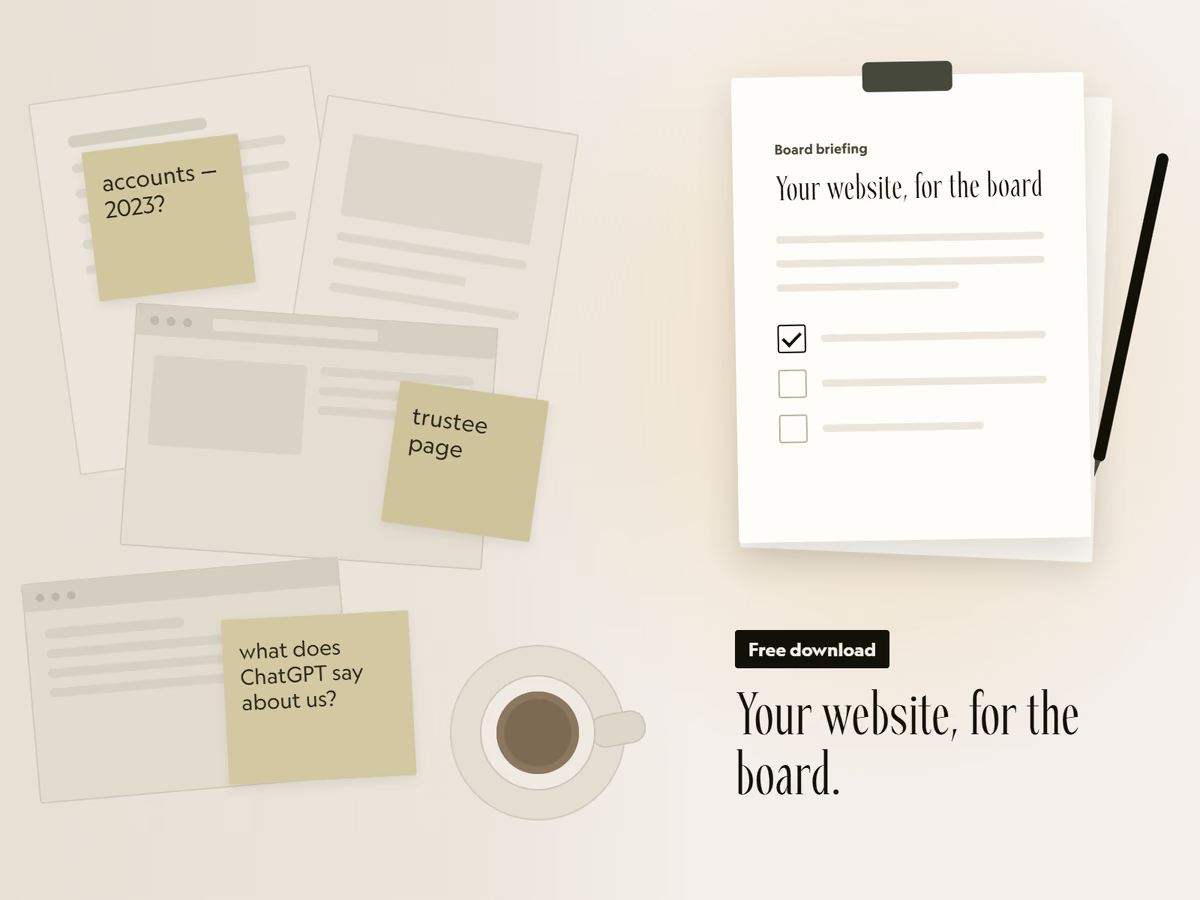
Free download
Your website, for the board.
A two-page briefing you can fill in and put in the next board pack. It covers the six things funders check, how to see what AI tools say about you, and the options to put to trustees.
That did not send. Email hello@socialectric.com and I will send you the briefing.
Frequently asked questions
- How often should a nonprofit review its website content?
Monthly for the homepage and any time-sensitive content, quarterly for programme pages, team sections and impact evidence, and annually for governance documents such as the annual report, accounts and safeguarding policy. Document the cadence and assign it to a named individual, not a general responsibility.
- Is website maintenance different for nonprofits on Webflow versus WordPress?
The governance principles are the same; what differs is where responsibility sits. Webflow handles SSL, hosting infrastructure and CMS updates at platform level, which reduces the technical burden. WordPress sites need active plugin management, security patching and hosting oversight, which typically demands more frequent technical review. The content, compliance and governance layers are identical across platforms.
- Who should be responsible for website maintenance in a nonprofit?
A named person, formally assigned, not assumed. In most organisations the Communications Director or Digital Lead owns content and compliance maintenance; technical maintenance may involve an external provider. Both areas need a named owner, a documented schedule and a record of completion. Where internal and external parties share the work, set out who does what in writing, ideally in the website governance policy or the external provider’s terms of service.