







How to Buy a Domain for Your Nonprofit: What to Check Before You Register


Key takeaways
- A domain is an organisational asset, not just an address, and how it is registered determines whether your organisation controls its own digital presence or depends on someone else for it.
- Nominet's .UK Registration Policy (clause 5.1, version 2026-03) says .org.uk domains are intended for not-for-profit or public service enterprises: the rule is advisory, so a .org.uk is not evidence of charitable status and there is no UK presence requirement attached to it.
- WHOIS privacy is largely a solved problem you no longer need to buy: Nominet withholds the registrant's name and address from public .uk lookups unless the registrant has consented to publication, and ICANN's Registration Data Policy has governed redaction for generic extensions such as .org since 21 August 2025.
- The record that matters is the one your registrar holds privately, because it decides who the domain belongs to in a dispute, and Nominet may suspend a domain whose registrant data it cannot validate.
- For .uk domains the registry applies no transfer lock, and a losing registrar must remove locks and hand over a transfer authorisation code within five days at no charge: those are the registrant's rights, so they are only yours if the registrant on the record is the organisation.
- A lapsed .uk domain has a 45-day auto-renew grace period and a 30-day redemption period, but DNS resolution is disabled throughout redemption, so the site and email are down for a month even though the name is recoverable.
Summary
Choosing and registering a domain for your nonprofit involves more than picking a name. Here's what to check before you register, including who should own it and why it matters.
Before You Start
A domain is the address your website lives at. It is also an organisational asset. Who owns it, how it is registered and where it is held decide whether your organisation controls its own digital presence or quietly depends on someone else.
Almost nothing that goes wrong with a charity's domain is a technical failure. It is a record-keeping failure that surfaces years later, usually the week somebody leaves or a contract ends.
What this covers:
- choosing an extension;
- what to require of a registrar;
- what the public registration record actually shows in 2026;
- who the domain should be registered to;
- how to find out who holds it now;
- what to do if your preferred name is taken.
What it does not cover: connecting the domain to your website once it is registered. That is in How to Connect Your Domain to Webflow via DNS.
Choosing the Right Domain Extension
The extension, the part after the dot, signals what kind of organisation you are, and where, before a visitor has read a word.
.org.uk
For UK-registered charities, .org.uk is the most immediately credible choice. Nominet, the .uk registry, states that domains registered in .org.uk "are intended to be not-for-profit or public service enterprises", naming charities, trades unions, political parties, community groups and professional institutions as examples (.UK Registration Policy, clause 5.1, version 2026-03).
Two things follow from that wording, and both are commonly got wrong:
- The rule is advisory, not mandated and not checked. Nobody verifies your charity number before the name is registered, so a .org.uk address is not evidence of charitable status. Never present it to a funder as though it were.
- There is no UK presence requirement attached to .org.uk.
.org
.org is the globally recognised nonprofit extension. It suits international NGOs, organisations with significant donors outside the UK, and charities whose work crosses borders.
It is a generic top-level domain, so it sits under ICANN's rules rather than Nominet's. The two differ in ways that matter later in this post.
.com and the rest
.com is not the right choice for most nonprofits. It signals commerce, and donors and funders expect nonprofits to use .org or .org.uk. Launching on .com creates a small but real credibility friction, worth avoiding when the name is free on either .org variant.
If your preferred name is taken on one and free on the other, register the one that is available. Consider registering the other defensively so nobody else can occupy it. Domain prices move and vary by registrar, so check current rates rather than budgeting from a figure in an article.
Newer nonprofit-flavoured extensions exist. None yet carries the recognition of .org or .org.uk, and an extension a donor has to stop and think about works against you.
What to Require of a Registrar
A registrar is the company through which you register and hold the domain. Price matters less than two capabilities that decide how much trouble the domain causes you later.
Delegated access
At some point a developer or agency will need to change DNS records. If the only way to let them is to hand over the account login, everyone who has ever worked on your site holds the keys to your domain. You cannot revoke one of them without changing the password on all of them.
Better registrars let the other party sign in with their own account, under a named delegation you can withdraw. GoDaddy calls its version delegate access.
Ask what a delegate can actually reach. Some implementations grant access to every domain in the account by default, not only the one you meant.
Renewal pricing you can see before you commit
Nominet requires .uk registrars to make renewal fees reasonably available at the time of registration, to display them clearly on their website and to link to them from the registration agreement (.UK Registry-Registrar Lifecycle Policy, clauses 4.1 to 4.2).
Low first-year rates that step up at year two are legitimate and common. Being unable to find out what they step up to is not. If you cannot find a renewal price, that is not you failing to look.
Who not to use
Avoid domain registration sold as an add-on by a web agency, a website builder or a hosting company. When the domain sits in someone else's account, the account holder controls it: a dependency created for one line on one invoice.
If you are choosing a web partner now, ask about this before you sign, alongside the other four questions worth asking a prospective web partner.
What the Public Record Actually Shows
Charities are still being sold a fix for a problem they no longer have.
Your contact details go into the registration record, and the long-standing advice is to buy a privacy or proxy service so they are not published. For an organisation registering today, that advice is largely obsolete.
.uk domains
The registry withholds the registrant's name and address from public lookups unless the registrant has consented to publication (Nominet, GDPR changes).
Nominet even forbids its registrars from implying otherwise. A registrar "must not mislead Registrants into buying a Proxy Service by making false claims that their contact data will be made public by default and that a Proxy Service is therefore required to protect their privacy" (.UK Proxy Policy, clause 2.3, version 2026-03).
.org and other generic extensions
Publication and redaction are governed by ICANN's Registration Data Policy, in effect since 21 August 2025. Registrant contact data is withheld rather than shown.
Check your own once a year
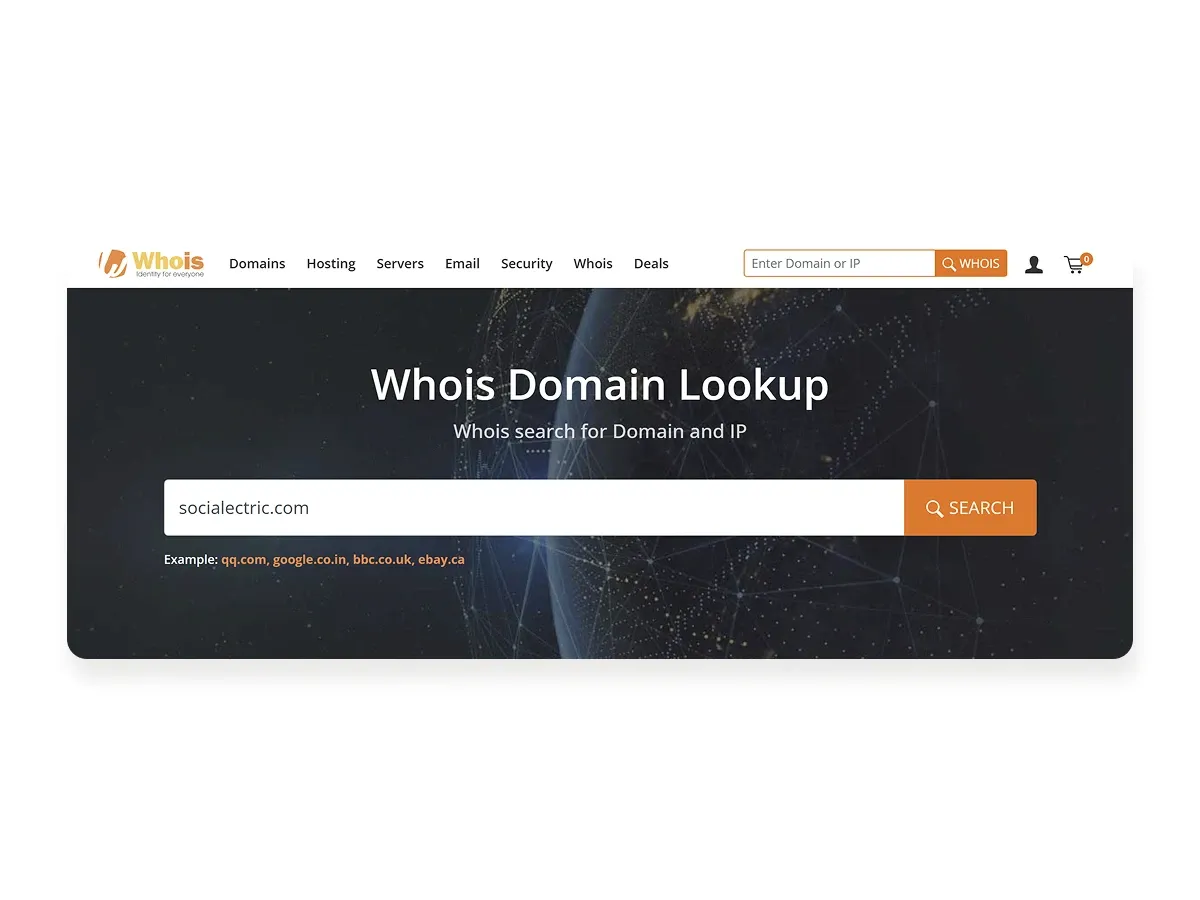
Look up a generic extension at ICANN Lookup and a .uk one at Nominet's lookup. You will get the registrar, the dates, the nameservers and the status, and nothing that identifies the registrant.
If you write that check into a procedure, note that the WHOIS protocol is being retired for .uk. Nominet's port 43 WHOIS and WHOIS2 services cease on 9 February 2027, replaced by RDAP. If a runbook of yours says "run a WHOIS", give it a review date.
The record that matters is the private one
So the exposure is not where people look for it. The record that decides who the domain belongs to is the one your registrar holds privately. It has to be both organisational and true:
- Registrant name: the legal name of the organisation, never an individual's name
- Email: an organisational address such as info@, operations@ or admin@, never a personal one
- Address: the organisation's registered address
The email line is not trivia. Expiry notices and transfer authorisations go to the registrant mailbox, so whoever can open that mailbox effectively controls the domain.
Accuracy is enforced too. Under Nominet's Interim Data Quality Policy, Nominet "may suspend domain names where we are unable to Validate data" (Interim Data Quality Policy, clause 6.1.2). A departed employee's name and a dead mailbox are not just untidy; they are a live risk to the name.
Putting an individual's home address in the record instead of the organisation's is also a data protection decision, of the kind covered in nonprofit data protection beyond the GDPR checklist.
Who Should Own the Domain
The domain should be registered to and owned by the organisation. Not the Communications Director personally. Not the IT volunteer who set up the original site. Not the web agency that built the first version. The organisation.
This is the most important section of this post, and the reason the rest of it exists.
It sounds obvious, yet it is often not how domains end up held, because nobody decides to hold one badly. Somebody registers it quickly so work can start, and the temporary arrangement becomes permanent.
Two common versions
A former staff member's personal email. That person has left. Nobody knows the login. The domain is due for renewal, and without the account nobody can renew it, change DNS records or stop it lapsing. It surfaces at predictable moments, which is why it belongs with website governance during leadership transitions.
A web agency's account. Often set up with good intentions, because it simplifies billing. It also means the organisation cannot act on its own domain without the agency's cooperation. It belongs on the same annual review as every other outsourced dependency: see vendor risk in nonprofit web infrastructure.
What the .uk rules give the registrant
The part that is under-known: for .uk domains, recovering a name from a registrar account you do not control is a defined process with deadlines, not a negotiation. Nominet's .UK policies, version 2026-03 set out that:
- The registry applies no transfer lock on registration, on transfer or on a change of registrant (Lifecycle Policy, clause 3.1).
- A losing registrar must remove any transfer lock it has set and provide the registrant with a transfer authorisation code within five days at no charge, unless it can show the lock is there to prevent abuse (Inter-registrar Transfer Policy, clauses 5.2 and 5.4).
- A registrar imposing a transfer lock without the registrant's consent, where there is no evidence of abuse or policy breach, "is not allowed" (clause 5.2.1).
- Where a registrar fails to do either, the registrant may complain to Nominet, and the outcomes available include putting the domain into the state the registrant intended and suspending or terminating the registrar's accreditation (clauses 11.1.1 and 11.2.2).
The word carrying all the weight is registrant. Every one of those is the registrant's right. If the registrant on the record is a departed Communications Director or your agency, it is not yours to exercise.
That is the whole argument for getting the record right at registration, when it costs nothing, rather than in a dispute, when it costs a great deal.
If someone else holds it already
Treat it as a transition task, not a favour to ask at the end.
- An agency holds it. Put the transfer in the handover schedule with a date on it, one of the items a proper website handover plan lists.
- A former employee holds it. Go to the registrar with proof of your organisation's registration details and ask to correct the registrant.
How to Check Who Holds Your Domain Now
If the domain already exists, you need to know whose record it is before you can put it right. The public lookup will not name the registrant, but it gets you most of the way.
- Find the registrar. Run the lookup described above. The registrar it names is where the account is, and the expiry date tells you how long you have.
- Follow the money and the mail. Search finance records for payments to that registrar, and mailboxes for its renewal and expiry notices. Whoever pays and whoever receives the notices is, in practice, holding the account. If neither search finds anything, the account is paid for outside the organisation's records, which is itself the finding.
- Ask to see the registrant record, not the login. Ask whoever holds the account to show you the registrant name, email and address as the registrar holds them. Check each against the three lines under "What the Public Record Actually Shows". A login you are handed is a dependency moved, not removed.
- If nobody can or will show you, go to the registrar with proof of the organisation's details and ask to correct the registrant, as in the section above.
There are formal routes to non-public data, but they are built for disputes, not housekeeping:
- For .uk, Nominet releases registrant data to third parties with a legitimate reason, such as enforcing legal rights, on a Data Release Request sent to data-release@nominet.uk. It tells the registrant who asked and what was passed on (Nominet, Releasing your personal data to third parties).
- For generic extensions, ICANN's Registration Data Request Service forwards requests to the registrars that participate in it. ICANN's Board has kept it running for up to two years beyond the pilot's end in November 2025.
Neither is a first step: start with whoever pays the invoice.
Renewal, Expiry and the Window You Actually Have
Register with auto-renewal on and a payment method that will not expire before the next renewal date. A card gets replaced, auto-renewal fails silently, and the website goes dark overnight. It is common, and entirely avoidable.
Registrars must warn you. For .uk they must send expiry notices approximately one month before, approximately one week before, and within five days after expiry if it has not been renewed (Lifecycle Policy, clause 6.1). Those notices go to the registrant email address, which is why the mailbox point above matters.
If a .uk domain lapses
There is more room than people assume (Lifecycle Policy, clauses 2, 7 and 9):
- Auto-renew grace period: 45 days. The registrar has this window to obtain your consent to renew. Absent consent or defined extenuating circumstances, it must delete the domain by the end of it.
- Redemption grace period: 30 days after deletion, during which the name can be restored. The registry disables DNS resolution throughout redemption, so the website and any email on the domain are down for that entire month even though the name is recoverable.
- Pending delete: 5 days, after which the name is purged and anyone may register it.
The registrant at the time of expiry must be permitted to renew right through to the end of the redemption period. A restore during redemption carries no charge beyond outstanding renewal fees (.UK Registry-Registrar Lifecycle Policy, clauses 7.8 and 9.3).
Those figures are Nominet's. Generic extensions such as .org follow ICANN's equivalents and your registrar's own published deletion policy, where a restore commonly does carry a fee. Check yours rather than assuming the .uk terms apply.
Register for more than one year where the budget allows. It does not make you immune to any of the above; it reduces the number of times a renewal can be missed during a busy period.
If Your Preferred Name Is Taken
What to do depends on why.
- Actively used by another organisation. Choose an alternative: a descriptor, a regional qualifier or a shortened form of the official name. Any of them beats a near-identical name that sends your donors to somebody else's site.
- Apparently unused or parked. The name may be for sale from the current registrant, and most registrars run a broker service for this. Prices range from modest to absurd, depending on how desirable the name is thought to be. It is usually worth one conversation before deciding it is unobtainable.
- Recently expired. Ask the registrar which lifecycle stage above it is in. A name in redemption is not available, and the previous registrant can still recover it.
A shorter working name
If your registered charity name is long or awkward, a shorter one may be a legitimate option rather than a compromise.
The Charity Commission distinguishes a charity's main name, its official name, from a working name, "a name used to identify your charity and under which the activities of your charity are carried out"; NSPCC, for instance, is the working name of The National Society for the Prevention of Cruelty to Children (How to choose a charity name, GOV.UK, last updated June 2023).
Working names are declared to the Commission, so this is a governance decision with a filing attached, not just a shorter URL. Take it to whoever holds that responsibility before you register anything.
The Checklist: Before You Register
- Extension chosen deliberately (.org.uk for UK charities, .org for international NGOs)
- Registrant name set to the organisation's legal name, not an individual
- Registrant email set to an organisational address that more than one person can open
- Registered address used, not a home address
- Registrar account created in the organisation's name, on an organisational email
- Delegated access available, so a developer never needs your account login
- Renewal price checked, not just the first-year price
- Auto-renewal enabled, on a payment method that outlives the renewal date
- Defensive registration of the .org or .org.uk variant considered
- Registered for more than one year where the budget allows
- The registrant record written down somewhere the organisation keeps records, not only in somebody's inbox
Next Step
Once the domain is registered, connect it to your website by updating DNS records at the registrar. It is straightforward, with a few specifics worth understanding first: How to Connect Your Domain to Webflow via DNS.
Related resources:
Two clicks. Three things.
Send the address of your website. Within two working days you get a short email naming the three things a funder would hold against it, including what AI assistants like ChatGPT and Google’s AI Overviews currently say about you. No report, no call, no follow-up unless you ask.
Received. Your three things arrive within two working days.
That did not send. Email hello@socialectric.com with your website address and I will reply from there.
Frequently asked questions
- Which domain extension should a charity use?
.org.uk is the most immediately credible choice for a UK-registered charity. Nominet's .UK Registration Policy states that .org.uk domains are intended for not-for-profit or public service enterprises, naming charities, trades unions, community groups and professional institutions as examples. The rule is advisory, not checked: nobody verifies your charity number, so the extension is not proof of registration. .org communicates globally and suits international NGOs and organisations with donors outside the UK. .com signals commerce and creates a small but real credibility friction worth avoiding.
- Who should the domain be registered to?
The organisation: not the Communications Director personally, not the IT volunteer who set up the original site, and not the agency that built it. Set the registrant name to the charity's legal name, the email to an organisational address, and the address to the registered address. The registrant is the party whose rights a registrar and a registry recognise, so naming the wrong one gives your rights to someone else.
- How do we find out who holds our domain now?
Start with a public lookup: Nominet's lookup for .uk, ICANN Lookup for .org and .com. It will not name the registrant, but it names the registrar, which is where the account is. Then search finance records for payments to that registrar, and mailboxes for renewal and expiry notices: whoever pays and whoever receives the notices holds the account. Ask them to show you the registrant record, not to hand over the login. If nobody can or will, take proof of the organisation's details to the registrar.
- What happens if the domain is registered to a former employee?
Nobody can renew it, change DNS records or stop it lapsing, because expiry notices and any transfer authorisation go to a mailbox nobody can open. Go to the registrar with proof of the organisation's registration details and ask to correct the registrant. Then fix the pattern, not the instance: this surfaces at leadership and staff changes, and website governance during leadership transitions covers what else tends to leave with the person.
- Should we register the domain through our web agency?
No. When a domain sits in an agency's account, the account holder controls it, and the organisation cannot act on its own domain without the agency's cooperation. Register in an account the organisation owns. If you are choosing a partner now, ask before you sign: the five questions every NGO should ask before choosing a web partner covers this alongside other dependencies worth surfacing early. Reluctance to release a domain you have paid for is a warning sign about the whole relationship.
- What should we check before registering?
Three things. Whether the registrar offers named, revocable delegated access, so a developer can change DNS without your account login. The renewal price, not just the first-year price, which Nominet requires .uk registrars to display clearly on their website. And whether the registrant details you enter are the organisation's rather than an individual's, because nobody goes back and corrects them.
- What if the domain we want is already taken?
It depends why. If another organisation is using it, choose an alternative: a descriptor, a regional qualifier or a shortened form of the name. If it looks parked or unused, most registrars run a broker service, and one conversation is usually worth having before you give up on it. If it expired recently, ask the registrar what lifecycle stage it is in: a name in redemption is not available, and the previous registrant can still recover it.