When to Rebuild vs. Fix Your Nonprofit Website: A Governance Decision Framework for Communications Directors
A governance-framed decision framework for Communications Directors weighing whether to rebuild or fix their nonprofit website — covering architecture assessment, cost implications, and how to present the recommendation to your Board.

Summary
The rebuild versus fix decision is one of the most significant and most poorly informed choices a nonprofit makes about its website. Rebuilds are expensive, time-consuming, and disruptive. They also, if the underlying governance problems are not addressed, produce a new website with the same problems as the old one — a better-looking version of a site that still does not serve its institutional stakeholders, still does not maintain WCAG compliance under real editorial conditions, and still requires the Communications Director to spend significant time managing a dependency the rebuild was supposed to resolve.
Fixes are cheaper and faster, but they are not always appropriate. A site with fundamental architectural problems — a CMS that does not support the content governance the organisation needs, a platform that cannot maintain accessibility compliance under real editorial conditions, a URL structure that has accumulated so much redirect debt that it is undermining SEO performance — may require more investment to fix adequately than a rebuild would cost, without producing a result that is as durable or as well-governed.
This post provides a governance-framed decision framework for the rebuild versus fix question: the diagnostic criteria that determine which category the current site's problems fall into, the specific conditions under which targeted remediation is the right answer, the conditions under which a rebuild is justified, and how to present the decision to the Board in governance language that connects the recommendation to institutional risk and opportunity rather than design preference or technical opinion. It is designed to be used directly in a Board paper or leadership conversation about the website investment decision.
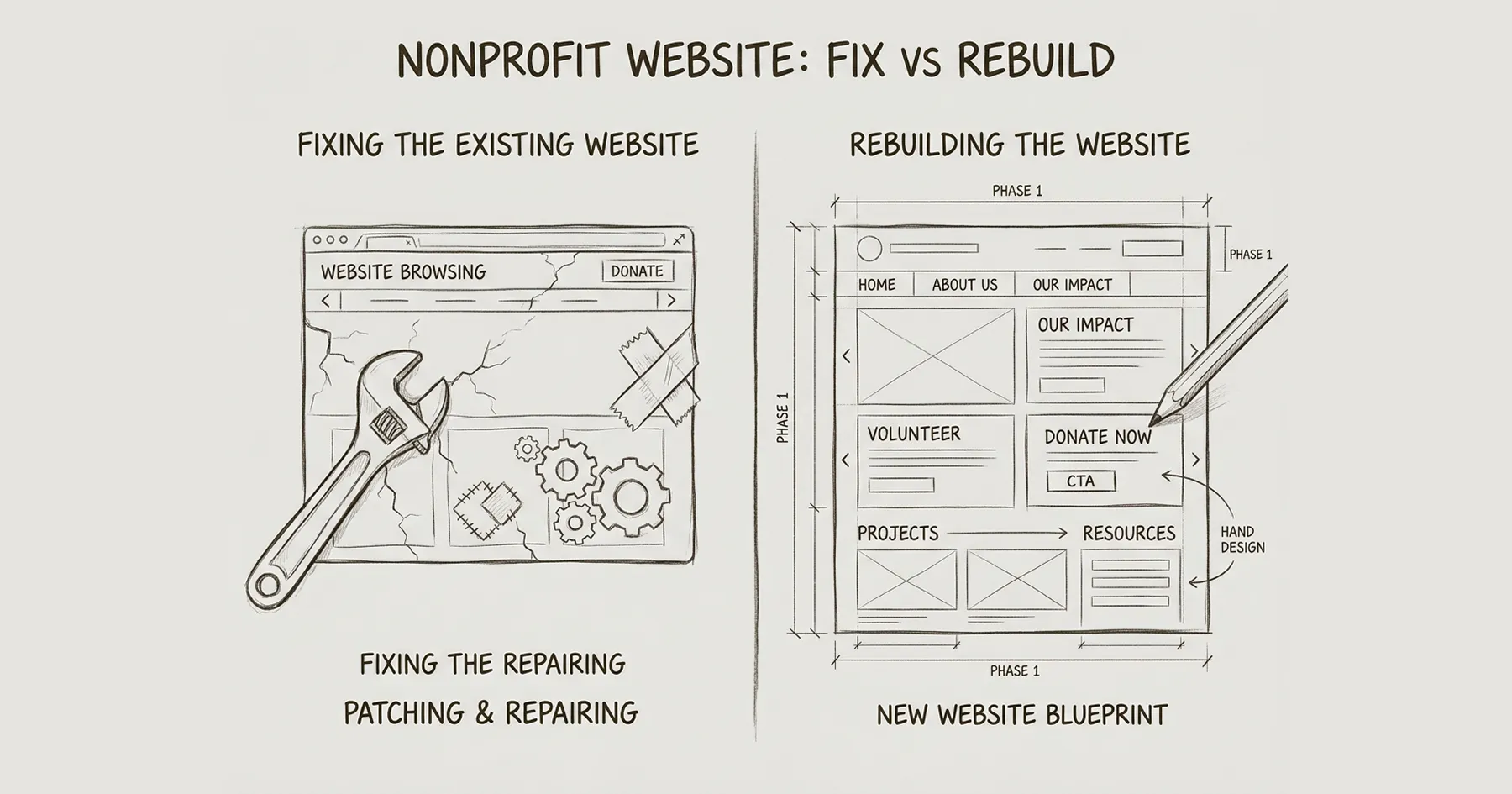
Nonprofit Website: Rebuild vs. Fix
Not every website problem requires a rebuild. Some require targeted fixes. The distinction is not about age or aesthetics — it is about whether the underlying architecture can support what the organisation needs from it.
This is a question I encounter in almost every initial conversation with a Communications Director. The website is causing problems. Leadership wants it sorted. But the question of whether to repair or replace is rarely examined with the rigour it deserves — and the default answer from most agencies is always rebuild, because that is the more expensive engagement.
Here is a framework for thinking about this honestly.
Why This Decision Matters More Than You Think
A rebuild that was not necessary wastes six to twelve months of organisational capacity, consumes budget that could have addressed the actual problems, and leaves the team managing a transition they did not need. A fix applied to a fundamentally broken architecture delays the inevitable and accumulates technical debt that makes the eventual rebuild harder and more expensive.
Getting this decision right is a governance responsibility. The Board should understand why one path was chosen over the other, and the reasoning should be defensible — not based on aesthetic preference or a vendor’s recommendation to pursue the option that generates the most revenue for them.
When a Fix Is the Right Answer
A fix is appropriate when the underlying platform and architecture are sound but the implementation has gaps. Specifically:
The platform is still supported and maintained. If your site is on Webflow, WordPress with current themes, or another actively maintained platform, the foundation is not the problem. Outdated content, poor navigation, or accessibility failures can be addressed without rebuilding.
The CMS structure matches how your organisation actually works. If your content types — programmes, team members, news, resources — are already represented in the CMS and your team can update them, the architecture is doing its job. The content inside it may need attention, but the structure does not need replacing.
Performance issues are isolated. Slow pages caused by uncompressed images, render-blocking scripts, or third-party embed bloat can be fixed without rebuilding. These are maintenance problems, not architectural ones.
Accessibility failures are specific, not systemic. Missing alt text, poor colour contrast on specific elements, or form labelling issues can be remediated on the existing site. If the heading hierarchy is correct and keyboard navigation works at a structural level, the framework is accessible — individual elements need fixing.
The site was professionally built within the last three to four years. If the original build followed reasonable standards and the platform has been maintained, targeted improvements will deliver more value per pound spent than starting over.
When a Rebuild Is the Right Answer
A rebuild is appropriate when the architecture itself is the constraint — when the problems cannot be solved by improving what exists because the foundation does not support what the organisation needs.
The platform is end-of-life or unsupported. If your site runs on a deprecated platform, an abandoned WordPress theme, or a custom build where the original developer is no longer available and the code is undocumented, maintenance becomes increasingly expensive and risky. Every fix introduces new fragility.
The CMS does not match how the organisation works. If programme staff cannot update their own content, if adding a new team member requires developer intervention, if campaign pages take weeks to build because the CMS was not designed for them — these are architectural failures. No amount of content improvement will fix a structure that forces the wrong workflows.
Accessibility failures are systemic. If the heading hierarchy is broken across every page template, if focus management does not work at all, if the site was built without any WCAG consideration — remediation on the existing architecture may cost more than rebuilding on an accessible framework. The Lumos framework I use addresses this at the foundation level, making every page accessible by default rather than requiring manual fixes on every element.
The site cannot serve the organisation’s primary stakeholders. If institutional funders cannot find governance documents, if beneficiaries cannot navigate to programme information, if the site architecture was designed around internal departmental structure rather than stakeholder needs — this is a fundamental information architecture problem that requires rethinking, not patching.
The site has accumulated years of technical debt. Plugin conflicts, abandoned integrations, redirect chains, duplicate content, orphaned pages that still rank in search — when the remediation list exceeds what the site is actually worth, starting clean is more efficient.
A significant organisational change has occurred. A merger, rebrand, fundamental strategic shift, or new leadership with a materially different vision for how the organisation communicates. In these cases, the website needs to reflect a new institutional reality, not an incremental improvement of the old one.
The Decision Framework
Work through these five questions in order. If you answer yes to any of the rebuild indicators, that signal carries significant weight — but one yes does not automatically mean rebuild. The pattern across all five tells you where you are.
1. Can your team publish and update content independently? If yes, the CMS architecture is working. If no — if routine updates require a developer or external help — the architecture is a constraint, and fixing content on top of a broken workflow will not solve the underlying problem.
2. Can your primary stakeholders find what they need within three clicks? Test this with your top three stakeholder groups. If institutional funders can find your annual report, governance documents, and impact data quickly, the navigation works. If they cannot, you have an information architecture problem that may require restructuring beyond what a fix can deliver.
3. Is the site accessible at a structural level? Run an automated accessibility scan (axe DevTools is free). If you see dozens of violations but they are mostly content-level issues — missing alt text, contrast failures on specific elements — these are fixable. If you see structural failures — broken heading hierarchy across templates, no skip navigation, no focus management — the framework itself is the problem.
4. Is the platform actively maintained and supported? Check when the last platform update was applied, whether security patches are current, and whether the original developer or agency is still available. If the answer to any of these is no, every future fix carries compounding risk.
5. Does the site reflect the organisation you are today? This is the strategic question. If the website was built for an organisation with a £500K budget and you now operate at £3M, if your programmes have fundamentally changed, if your stakeholder landscape has shifted — the website may be architecturally sound but institutionally outdated. This is the hardest question because the answer requires honest assessment of whether the gap can be closed with content and design updates or whether the site’s structure assumes a different organisation.
How to Present This to Your Board
Boards do not need to approve website fixes — that is operational. Boards need to understand and approve the decision to rebuild, because it involves significant expenditure and organisational commitment.
Frame the recommendation around three things: what the current site cannot do that the organisation needs, what the institutional risk is if nothing changes, and what the investment and timeline look like for the recommended path. Avoid framing the conversation around design preferences, competitor comparisons, or technology trends. Boards respond to governance risk and institutional credibility — not to arguments about aesthetics.
If the recommendation is to fix rather than rebuild, the Board still benefits from knowing that the decision was made deliberately. A short briefing note that says ‘we assessed the website against these criteria and concluded that targeted improvements will address the identified gaps more efficiently than a full rebuild’ demonstrates governance rigour.
What a Diagnostic Engagement Looks Like
If you are genuinely uncertain — if reasonable people in your organisation disagree about whether to fix or rebuild — the answer is not to guess. It is to conduct a structured diagnostic before committing resources in either direction.
The Blueprint Audit exists specifically for this purpose. It assesses the current site against stakeholder needs, technical requirements, accessibility obligations, and governance expectations — then produces a Board-ready report with a specific recommendation and the evidence behind it.
The audit costs £2,500 and stands alone. There is no obligation to proceed with implementation, and the report belongs to the organisation regardless of what comes next. If the finding is that targeted fixes will solve the problem, the report will say so — because credibility comes from honest recommendations, not from steering toward the most expensive option.
For the governance framework that sits behind this decision, see Why Your NGO Website Is a Governance Problem. For the stakeholder analysis that determines who your site should actually serve, see Nonprofit Website Stakeholder Mapping.
Frequently Asked Questions
Q1: How do I know if my nonprofit website needs a rebuild or just a refresh?
The deciding factor is whether the underlying architecture supports what your organisation needs. If your team can update content independently, stakeholders can find what they need, and the platform is maintained — a refresh is likely sufficient. If the CMS forces wrong workflows, accessibility is structurally broken, or the site was built for an organisation you no longer are — rebuild.
Q2: How much does a nonprofit website rebuild typically cost?
Costs vary enormously depending on scope. Fixed-price rebuilds from agencies range from £10,000 to £50,000 or more. A subscription model like the Monthly Partnership at £2,500 per month spreads the cost and allows iterative implementation rather than a single large commitment. The right question is not how much it costs but whether you need one at all — which is what a diagnostic establishes.
Q3: How long does a nonprofit website rebuild take?
A typical rebuild takes three to nine months from brief to launch, depending on organisational complexity and stakeholder involvement. The subscription model can deliver meaningful results faster because work begins immediately without a months-long procurement process.
Q4: Should we redesign or rebuild from scratch?
A redesign updates the visual layer while keeping the existing architecture. A rebuild replaces the architecture. If the CMS, content structure, and platform are sound, a redesign is more efficient. If any of those are fundamentally constraining, a rebuild is necessary.
Q5: How do I convince my Board to approve a website rebuild?
Frame the recommendation around governance risk, not aesthetics. Present what the current site cannot do, what institutional risk that creates (funder credibility, regulatory exposure, staff capacity), and what the investment and timeline look like. A diagnostic report provides the evidence base for this conversation.
Q6: Is it worth fixing an old WordPress site or should we move to Webflow?
It depends on the state of the WordPress installation. If the theme is maintained, plugins are current, and the team can manage it — fixes may be appropriate. If the installation has accumulated years of plugin conflicts, the theme is unsupported, or maintenance requires specialist developer access for routine tasks — migration to a more maintainable platform is worth evaluating.
Q7: What are the signs that a nonprofit website is beyond repair?
The clearest signs are: the original developer is unavailable and the codebase is undocumented, the platform is end-of-life, routine content updates require developer intervention, accessibility failures are structural rather than content-level, and the cost of accumulated fixes approaches or exceeds the cost of starting fresh.
Q8: Can we rebuild our nonprofit website in phases?
Yes, and this is often the most sensible approach. A phased rebuild addresses critical pages and functionality first, then expands. The Monthly Partnership model supports this naturally — work is prioritised by impact and delivered iteratively rather than as a single monolithic launch.
Q9: What should a nonprofit website include as a minimum?
At minimum: clear mission statement, current programme information, named leadership and trustees, annual report and accounts, contact information with physical address, privacy policy, accessibility statement, donation pathway, and regulatory registration details (Charity Commission number for UK charities).
Q10: How often should a nonprofit website be rebuilt?
There is no fixed schedule. A well-maintained site on a supported platform can run for five to ten years with ongoing improvements. The trigger for a rebuild is not age but whether the architecture still serves the organisation’s needs. Regular maintenance and iterative improvement extend the useful life of any website significantly.
Is this familiar?
Most nonprofit websites don't fail at launch. They fail quietly, over time.
The governance gaps, the stakeholder confusion, the Board that's stopped referring people to the site — these don't announce themselves. See what the difference looks like when it's built correctly from the start.
Eric Phung has 7 years of Webflow development experience, having built 100+ websites across industries including SaaS, e-commerce, professional services, and nonprofits. He specialises in nonprofit website migrations using the Lumos accessibility framework (v2.2.0+) with a focus on editorial independence and WCAG AA compliance. Current clients include WHO Foundation, Do Good Daniels Family Foundation, and Territorio de Zaguates. Based in Manchester, UK, Eric focuses exclusively on helping established nonprofits migrate from WordPress and Wix to maintainable Webflow infrastructure.
Ready to understand your current situation clearly?
The Blueprint Audit is where we start.
A two-to-three week diagnostic that maps your stakeholder needs, audits your current site, and gives you a clear strategic brief before any implementation commitment is made. £2,500. No obligations beyond the audit itself.
In case you missed it
Explore more

AI Website Building for Nonprofits: What the Hype Doesn't Tell You

Webflow vs WordPress for Charities: A Governance-First Comparison

Best Website Platforms for Nonprofits: A Governance-First Comparison
Join our newsletter
Subscribe to my newsletter to receive latest news & updates
